Hecate
AI Assistant you can video call.
Works great on Linux! Voice only on Mac! You can help!
- Signal private calling
- Tinfoil.sh private inference
- Pocket TTS local TTS
- @pixiv/three-vrm VR models


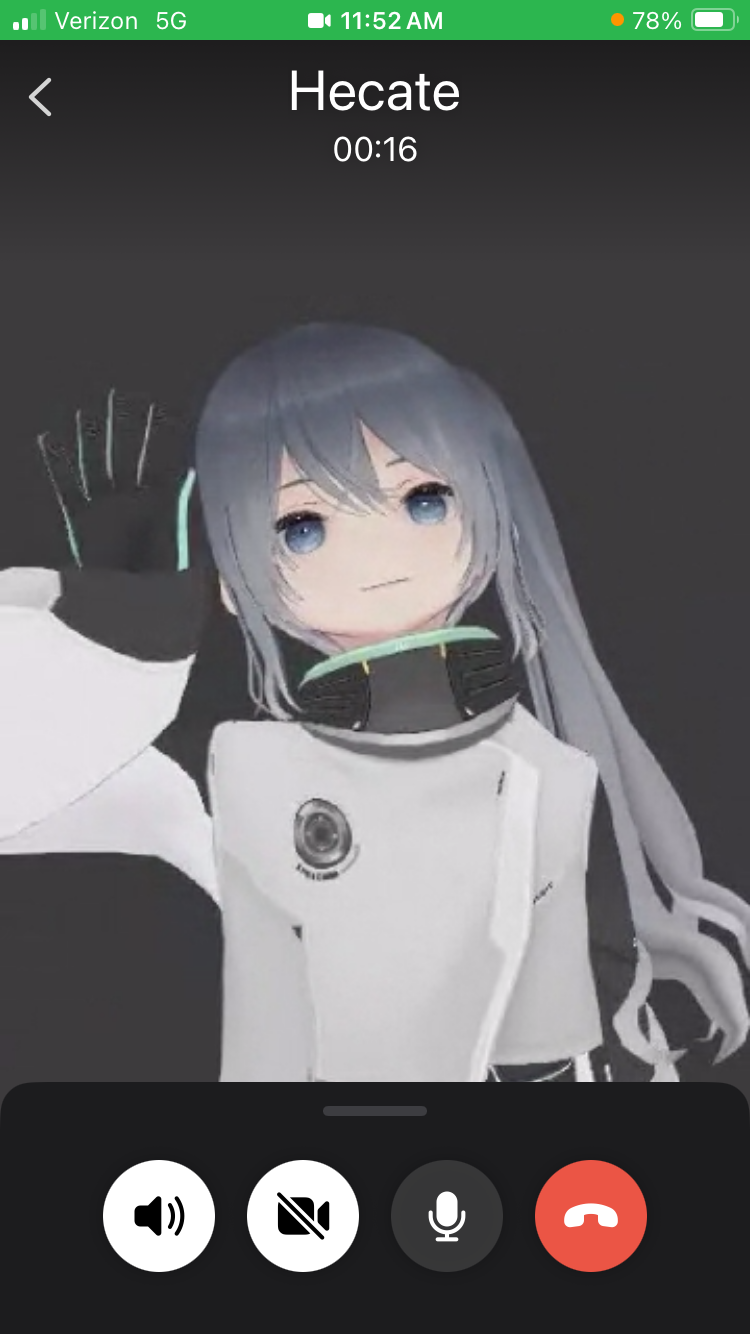
Install Signal
You need Signal on your phone and also in an emulator:
just build
just emulator
just signal
Register Signal
- http://localhost:8081
- "H264 Converter"
- Swipe up + click Signal
- Buy 2nd phone number + register
Signal Desktop
We now setup Signal Desktop because it uses less CPU and is easier to automate. Run just desktop qrcode then docker logs -f qrcode you should see "!! new code" and "!! same code". Return to http://localhost:8081 and do Signal > Settings > Linked devices > Link a new device.
Voice calls
Signal Desktop should now be ready. To verify this do chrome://inspect/#devices > localhost:9222 > Signal > inspect fallback. Then send a text message from this Signal Desktop window to your main number so the new contact request can be accepted. And now you are ready.
docker rm -f emulator qrcode
cp example.env .env
just loop
- Call 2nd phone number ✅
- Say "Whats your favorite Pirates Of The Caribbean movie?"
Video calls
I got video calls working using only docker + chrome but CPU was too high. OBS Studio is open source and cross-platform and used by many streamers. Download and install then proceed:
just stop
just video
(OBS Studio > Sources > "+" > Browser > http://localhost:8082)
("Start Virtual Camera")
just camera >> .env
just desktop
just loop
- Video call 2nd phone number ✅
- Say "Is this call secure?"
Config (.env)
- stt_model =
whisper-large-v3-turbo,voxtral-small-24b - llm_model =
llama3-3-70b,kimi-k2-5,deepseek-r1-0528 - voice =
azelma,fantine,eponine - avatar =
avatar1,avatar2,avatar3 - also use
prompt.txtto override default - also FAQ
Security
Open Signal on your phone and chrome://inspect/#devices for Desktop. Your message thread has a "safety number" which you can review. If the safety number changes you will be warned on your phone before the next call is allowed. Signal Desktop is answering all calls without a filter and this is a priority to improve but the AI has no memory between calls so if someone finds your 2nd phone number its not critical.
VR Credits
- avatar1 - 水銀メイド
- avatar2 - CraftTable
- avatar3 - 白い白米
License
mike@rhodey.org
MIT